

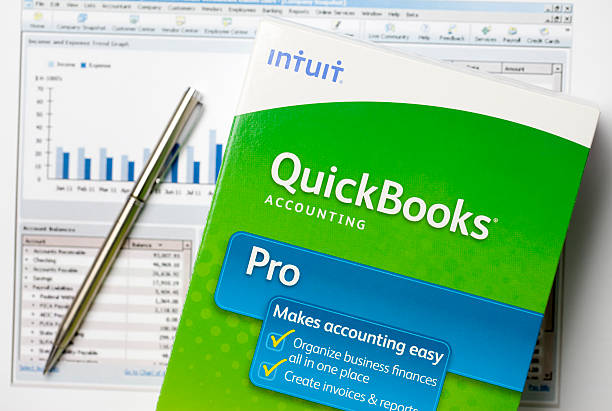
If you’ve ever hired a freelancer, subcontractor, or independent specialist for your business, you already know the truth: paying people is rarely as simple as sending money. Behind every payment is a trail of paperwork, tax rules, classification requirements, and reporting obligations that can quietly turn into a headache if they’re not handled correctly.
That’s exactly why tools like QuickBooks have become so widely used among small business owners. They don’t just help you pay contractors; they help you organize the entire system around those payments. Thinks of things such as tracking, compliance, reporting, and year-end tax preparation.
But even with good software, there’s still responsibility on your end. QuickBooks simplifies the process, but it doesn’t remove the need to understand what you’re doing.
Let’s walk through how Quickbooks independent contractor payments actually work inside the software, what to watch out for, and how to build a system that keeps you compliant and organized without unnecessary stress.
Why Independent Contractor Payments Matter More Than Most Business Owners Realize
Before we get into software or workflows, it’s worth zooming out for a moment.
One of the most important decisions you make as a business owner is how you classify the people you work with. Employees and independent contractors are treated very differently by the IRS, and that difference has real financial consequences.
Independent contractors generally operate with a higher degree of autonomy. They decide how to complete the work, often use their own tools, and typically serve multiple clients at once. They also don’t receive employee benefits or have taxes withheld in the same way employees do.
The IRS pays close attention to this distinction. Misclassifying an employee as a contractor—even unintentionally—can lead to penalties, back taxes, and compliance issues that are expensive and time-consuming to fix.
So before you ever set up a contractor in QuickBooks, the foundation has to be correct: make sure they truly qualify as an independent contractor.
Why QuickBooks Is Commonly Used for Contractor Payments
Many small businesses start out paying contractors manually. A check here, a bank transfer there, maybe a spreadsheet to track it all.
That works for a while. Until it doesn’t.
As soon as you start growing, manual systems tend to break down. Payments get missed, records become inconsistent, and tax season turns into a scramble to piece everything together.
This is where QuickBooks becomes useful. It centralizes contractor payments in one system so you can:
- Keep contractor information organized
- Track payments consistently over time
- Generate reports for taxes and financial planning
- Reduce the risk of manual errors
Instead of trying to reconstruct your financial history later, everything is recorded as you go.
It’s not just about convenience. It’s about accuracy and compliance.
Setting Up an Independent Contractor in QuickBooks
Once you’ve confirmed someone is properly classified as a contractor, the setup process inside QuickBooks is relatively straightforward.
You start by entering the contractor into your system through the expenses or contractors section. From there, you’ll input basic contact details like name and email address. QuickBooks then sends an invitation so the contractor can complete their own profile.
This is where things become important from a compliance standpoint. The contractor is prompted to provide tax information, typically through a W-9 form, which includes their Social Security Number or EIN.
Once submitted, that information is stored securely in your system and automatically linked to their payment records.
This step matters more than many business owners realize. Without a properly completed W-9, your year-end 1099 reporting becomes incomplete or inaccurate, and that can create problems with the IRS later on.
How Contractor Payments Work Inside QuickBooks
Once a contractor is set up, paying them can be handled in a few different ways depending on how your business operates.
Some businesses still prefer traditional methods like writing checks and manually recording them in QuickBooks. This works, but it requires more administrative effort and leaves more room for human error.
Others use QuickBooks to track bills or expenses, marking payments as they are completed. This method helps with bookkeeping and gives you a clearer view of cash flow, especially if you’re managing multiple contractors at once.
More advanced setups use direct deposit through QuickBooks payroll or contractor payment features. This allows you to pay contractors electronically, schedule payments in advance, and reduce manual processing altogether.
That said, these features often come with additional fees depending on your subscription and usage level, so it’s worth weighing convenience against cost.
The important thing isn’t which method you choose. It’s consistency. Whatever system you use, it should be repeatable and accurately reflected in your records.
Understanding the True Cost of Contractor Payments
One of the areas that catches business owners off guard is cost structure.
QuickBooks itself typically charges a base subscription fee, but contractor payment functionality can add additional costs. These may include per-contractor fees or add-ons for features like direct deposit and automated tax filing.
While these costs can add up, the real financial consideration isn’t just software pricing—it’s operational efficiency.
Manual systems may look cheaper on the surface, but they often lead to hidden costs: time spent correcting errors, missed payments, compliance risks, and inefficiencies during tax season.
In many cases, paying for a structured system ends up being more cost-effective than managing everything manually.
Tracking Contractor Payments and Staying Organized
One of the biggest advantages of using QuickBooks is visibility.
Instead of searching through bank statements or spreadsheets, you can generate reports that show exactly how much you’ve paid each contractor over a specific period.
These reports are especially important during tax season, when you need to prepare 1099 forms and ensure all payments are properly documented.
QuickBooks helps by automatically categorizing contractor payments and consolidating them into reporting tools designed specifically for tax preparation.
This reduces guesswork and helps ensure your records are consistent with what you actually paid throughout the year.
1099 Reporting and IRS Requirements
If you pay an independent contractor $600 or more in a calendar year, you’re generally required to file a 1099-NEC form with the IRS.
This form reports how much you paid the contractor and ensures the IRS has visibility into non-employee compensation.
To do this correctly, you need accurate W-9 information and complete payment records. QuickBooks simplifies the process by aggregating payment data and allowing you to generate 1099 forms directly within the platform.
You can then choose to file electronically or print and submit the forms manually.
Either way, accuracy is critical. Even small mistakes in reporting can lead to penalties or delays, and contractors rely on these forms for their own tax filings.
Common Mistakes Business Owners Make
Even with software in place, mistakes still happen.
One of the most common issues is failing to properly classify workers from the beginning. If someone should legally be an employee but is treated as a contractor, no software can fix that—it becomes a compliance issue at the business level.
Another frequent mistake is skipping the W-9 collection process. Without it, 1099 filing becomes incomplete or inaccurate, which can create unnecessary complications later.
Some business owners also fail to categorize payments correctly inside QuickBooks, which leads to reporting issues during tax season. Others simply fall behind on updates, making their records less reliable over time.
The underlying theme is the same in most cases: the software works, but the process around it has to be consistent.
When QuickBooks Might Not Be Enough
QuickBooks is a strong foundation for most small and mid-sized businesses, but it does have limits.
As businesses grow, they often encounter more complex contractor structures, multi-state tax considerations, or higher volumes of payments that require more advanced systems or integrations.
In those cases, companies sometimes layer additional payroll tools or work directly with accounting professionals to ensure everything stays compliant and scalable.
QuickBooks is best viewed as a core system, not necessarily the final destination for every business at every stage.
Best Practices for Managing Contractors Effectively
If you want to get the most value from QuickBooks, consistency is everything.
Keeping contractor information updated ensures your records remain accurate. Using clear expense categories makes reporting easier and reduces confusion during tax season. Automating payments where possible helps reduce manual errors, while regular reconciliation ensures your books match your actual bank activity.
Perhaps most importantly, maintaining a relationship with a qualified accountant or advisor can help you avoid issues before they become problems.
Software is powerful, but financial judgment still matters.
Get The Help You Need
Managing independent contractors doesn’t have to be complicated, but it does have to be structured.
QuickBooks gives small business owners a practical way to organize payments, maintain records, and stay compliant with tax requirements. But the real benefit comes from how consistently you use it.
At the end of the day, this isn’t just about bookkeeping. It’s about building a reliable financial system that supports your business as it grows in various areas: marketing, operations, cashflow, and more.
When contractor payments are handled properly, everything else becomes easier (such as tax season, cash flow management, reporting, and even long-term planning).
And in a business environment where efficiency and accuracy matter more than ever, that kind of structure isn’t optional. It’s essential.

Dexter Harlow lives and breathes celebrity culture. From red carpet moments to the latest viral gossip, he brings Hollywood to your screen with flair and insider insight. Known for his sharp wit and captivating storytelling, Dexter keeps fans hooked, delivering the hottest entertainment news before anyone else.